Ambient Field Builder
A downloadable instrument
Build an atmosphere. Keep the code.
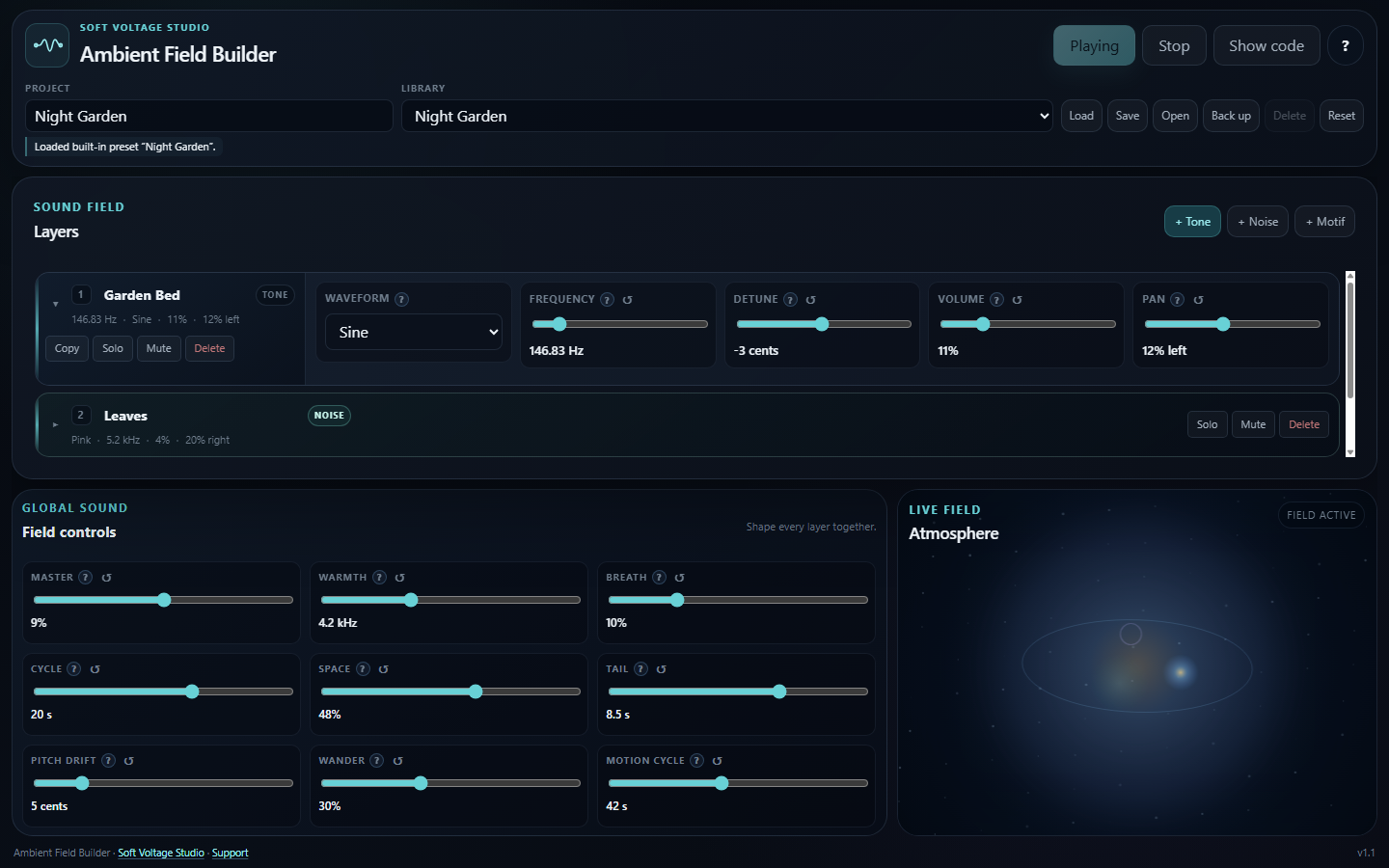
Ambient Field Builder is a focused procedural sound instrument for creating evolving ambient fields directly in your browser. Shape the sound by ear, save an editable project, then export standalone JavaScript for a website, game, installation, or interactive story.
$19. One-time purchase.
No account. No subscription. No samples. No external libraries.
What you can make
Combine Tone, Noise, and Motif layers into sound fields that breathe, drift, bloom, and move through stereo space. Begin with one of five built-in fields or build from a clean Foundation layer.
- Tune every layer while listening.
- Rename layers so the composition remains readable.
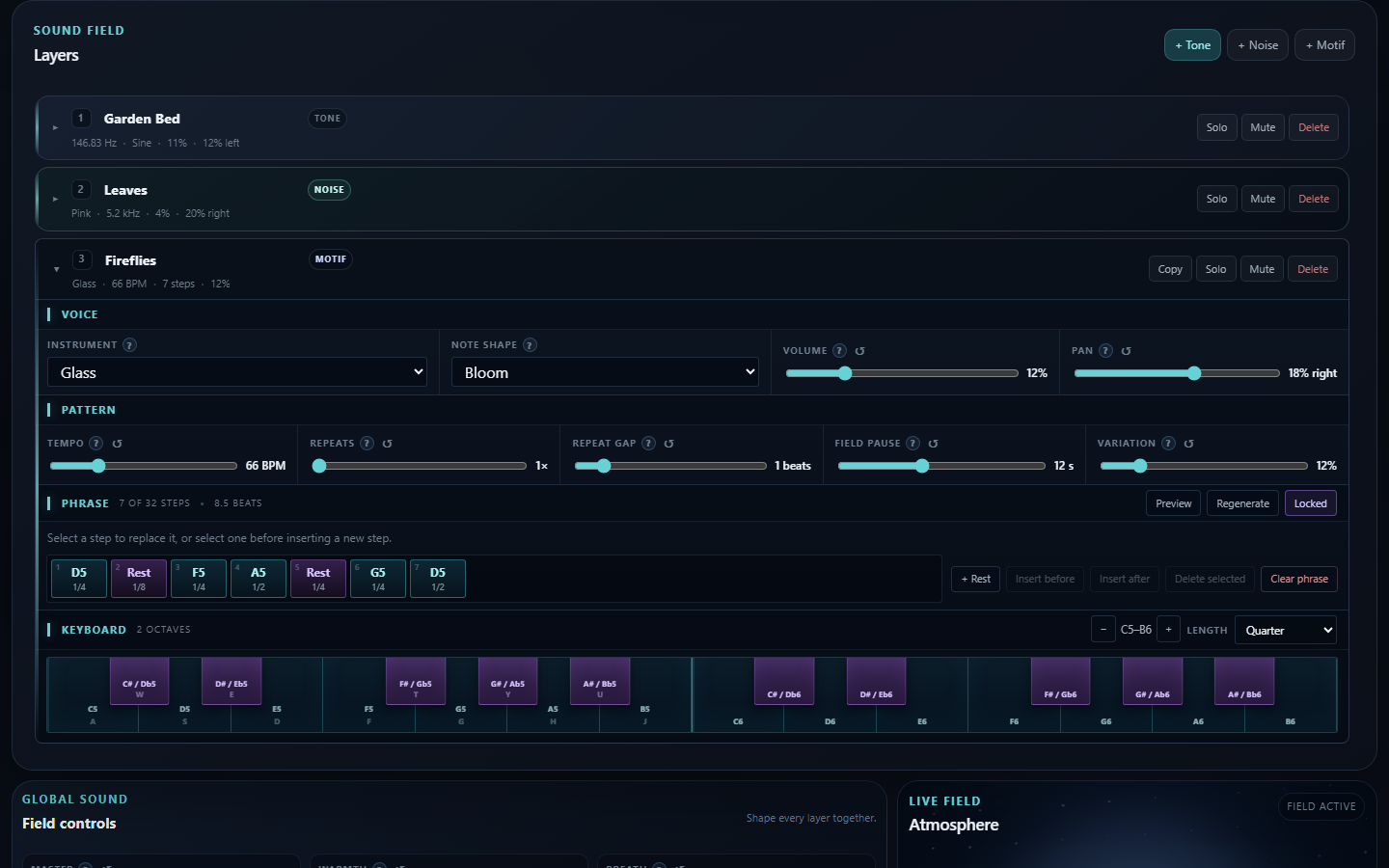
- Compose motifs of up to 32 notes or rests with a visible two-octave keyboard and direct step editing.
- Replace, insert, delete, and change the duration of individual motif steps.
- Reset any individual slider to the value loaded with the current field.
- Shape warmth, breath, space, tail, pitch drift, and stereo movement.
- Save projects in the browser.
- Back up and restore portable editable project files.
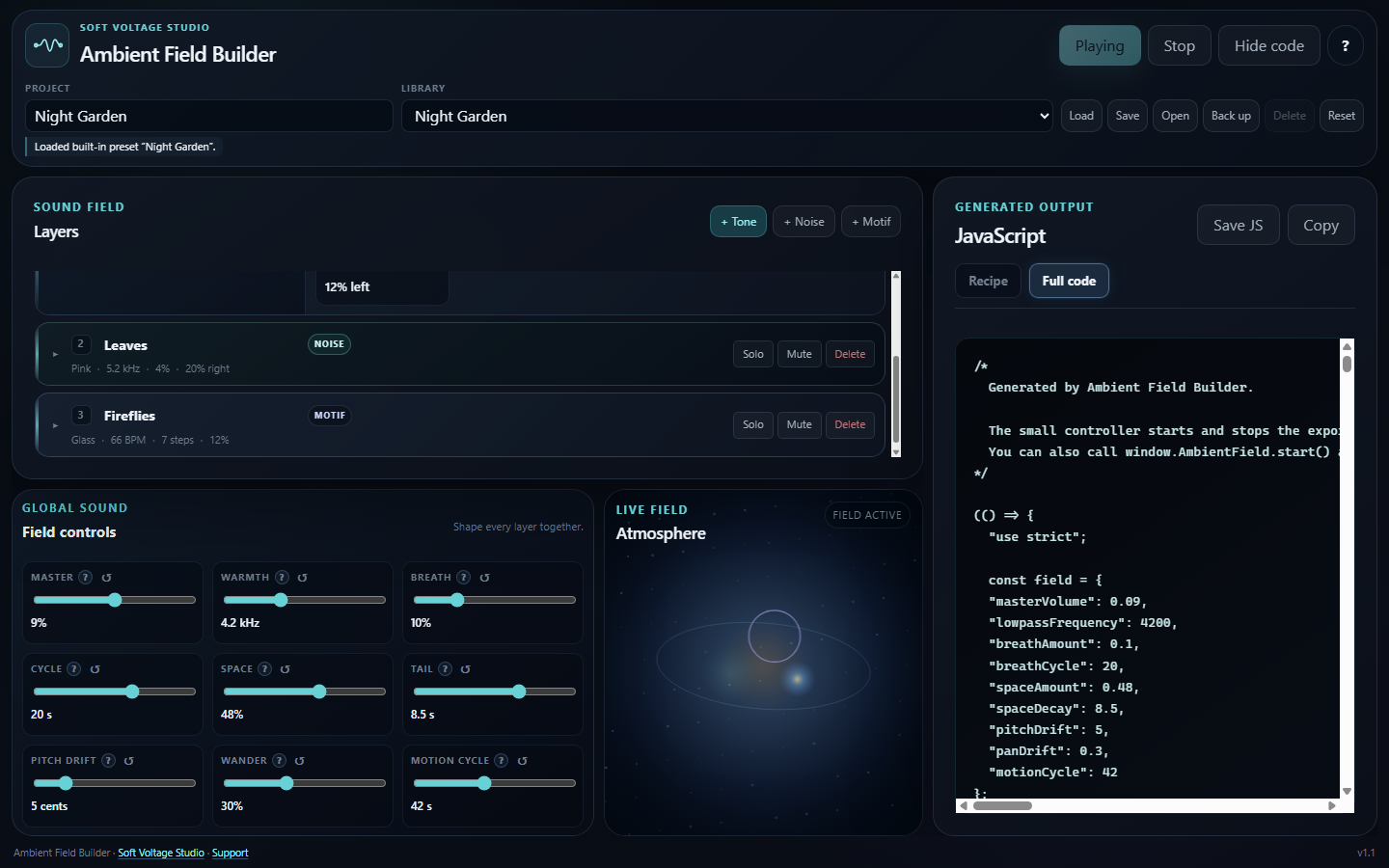
- Export self-contained JavaScript with a ready-made Play/Stop controller.
- Use exported fields in unlimited personal and commercial end products under the included license.
Five fields to start from
Ocean Spray, Deep Drift, Still Air, Night Garden, and Quiet Machine are included as editable starting points. Load one, press Play, and reshape it into your own field.
What you receive
Your download is one ZIP containing one self-contained file:
Launch Ambient Field Builder.html
Extract the ZIP and open that file in a current desktop browser. There is no installer and no account to create. Getting-started guidance, plain-language control explanations, the complete commercial license, and the Soft Voltage Studio support address are built into the instrument.
Made for
- Creative coders adding atmosphere to a small web project
- Indie and game-jam developers who want procedural ambience without loop files
- Web designers building portfolios, installations, or interactive stories
- Sound-curious makers who prefer shaping by ear to writing Web Audio code from scratch
How the export works
Open Show code when the field is ready. Use Recipe for a compact record of the settings or Full code for standalone JavaScript. Save the script or copy it directly into your project.
The exported field adds a small Play/Stop controller by default. Developers can also connect it to their own interface with:
window.AmbientField.start();
window.AmbientField.stop();
Compatibility and limits
- Use a current desktop version of Chrome, Edge, Firefox, or Safari with Web Audio enabled.
- Audio begins after user interaction because modern browsers block autoplay.
- Browser-saved projects remain on that browser and device. Use Back up for a portable editable copy.
- Exported fields are JavaScript for web projects. Ambient Field Builder does not export WAV or other recorded-audio files.
- The purchase does not include custom coding, project integration, sound-design services, perpetual updates, or guaranteed future features.
- Ambient Field Builder is a creative tool, not a medical, therapeutic, or wellness product.
License summary
Use and modify exported fields in unlimited personal and commercial end products. Attribution is not required. Ambient Field Builder itself may not be resold, shared, sublicensed, redistributed, hosted for others, or published as a competing or free tool. The complete license is included inside the instrument.
FAQ
Do I need to know JavaScript?
No. You can shape and export a field without editing code. Basic familiarity with adding a <script> tag to a webpage helps when integrating the export.
Does it use recorded audio or samples?
No. It creates sound procedurally with the browser's Web Audio API.
Can I use the output commercially?
Yes. You may use and modify exported sound-field code in unlimited personal and commercial end products under the included license.
Does it require an account or internet connection?
No account is required. The Builder and its generated fields are self-contained and make no network requests of their own.
Where are saved projects stored?
In that browser on that device. Use Back up for a portable editable project, or export the full JavaScript when the sound is ready for an end product.
Is technical support included?
The in-app guide covers opening the Builder, shaping a field, exporting code, and basic webpage integration. The purchase does not include custom coding, project integration, sound-design services, or guaranteed feature development.
Support
If the download cannot be opened or the Builder does not run in a supported current desktop browser, email support@softvoltage.com with the browser, operating system, and a description of the problem.
Visit the official Ambient Field Builder page.
Soft Voltage Studio
Independent digital instrument studio
Quiet power for creative work.
Purchase
In order to download this instrument you must purchase it at or above the minimum price of $19 USD. You will get access to the following files:
Development log